By installing the SpaceObServer the SpaceObServer scan service is installed as an additional part of the application. This service scans selected directories at regular intervals and stores changes in the database. It constantly runs in the background with a low priority.
The SpaceObServer scan service needs to be logged on as a user with sufficient access rights to the directories you would like to scan and, if you use the Windows Integrated Security for database connection, full access rights to the database (See Database Permissions). Configure the logon of the system service within the installation of SpaceObServer.
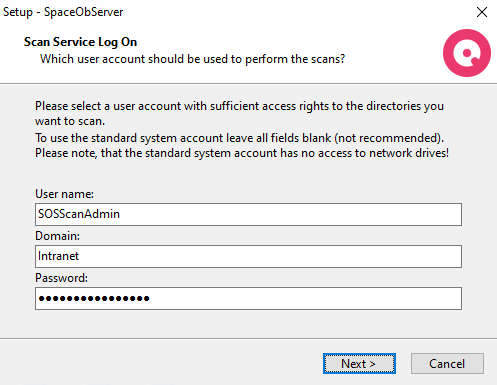
If you do not enter a valid user account the service will be logged on as "Local System Account", which is not recommend. You can reset the Logon of the service later within the Windows System Control.
Note: If the Service is stopped manually by a user, the SpaceObServer is no longer able to scan directories!
If the SpaceObServer doesn't scan directories you selected to scan, please ensure that the service "SpaceObServer scan service" is running.