
Your IMAP/POP3 Emails Without Viruses and Spam
With SmartPOP2Exchange you download emails from POP3 and IMAP accounts and forward them reliably to an Exchange or any SMTP server. The smart connector also allows you to integrate your catchall accounts. The emails pass through an extensive control system including viruses and spam scans and you decide, whether they are downloaded continuously or time-controlled.
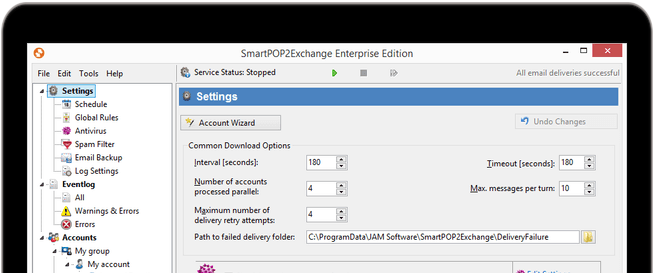
Visual Tour
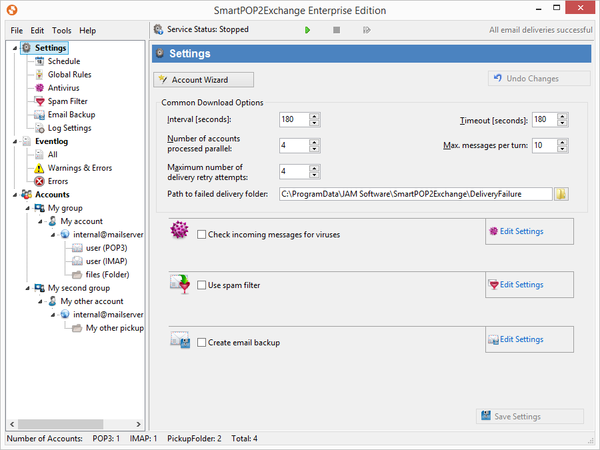

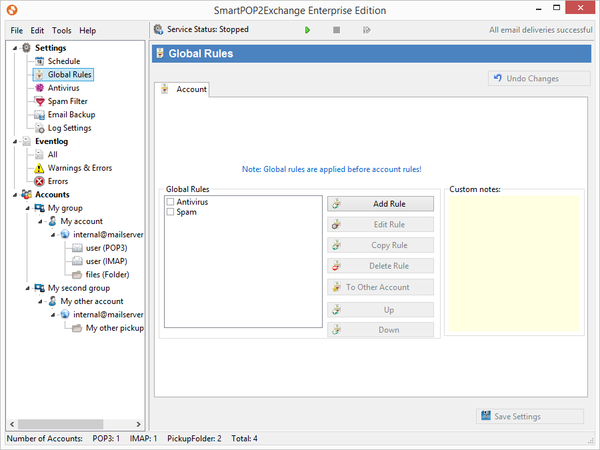
Your POPcon Alternative
Are you using POPcon and looking for a new IMAP connector? SmartPOP2Exchange is a great alternative to POPcon and POPcon Pro!
Not only is our solution much faster, SmartPOP2Exchange is more stable and continuously equipped with new great features. Start exporting and transferring your POPcon accounts with our tool.
Main Features at One Glance
Below is a list of all SmartPOP2Exchange features at one glance
Cross-System Flexibility

- POP3 and IMAP connector/gateway for MS Exchange, Lotus Notes, and any other SMTP server.
- Supports catchall accounts, containing emails for multiple addresses: emails are automatically forwarded to the correct recipients.
Integrated Modules

- Mighty anti-spam solution: the integrated spam filter SpamAssassin facilitates creation of individual spam rules; Bayes-Filter and Spam-/Ham-Training included.
- Blacklists and Whitelists for email addresses and words are fully supported.
- The anti-virus software ClamAV is preconfigured - other virus scanners can be connected.
- Powerful rule system: predefined actions can be performed for emails matching certain criteria.
- Backup for incoming emails.
Settings

- Flexible scheduler: define for each account when - and on which weekdays - emails shall be downloaded from your provider.
- Adjust the download interval.
- Download emails from multiple accounts at the same time.
Control Features

- The improved event log tracks all events, search function included.
- Email notifications are sent out in case of errors.
Compatibility and Integration

- Import and update account data from many different sources (e.g. MS Excel).
- Runs in the background as an independent Windows system service.
- Standard email files of external applications can be processed and sent via the PickupFolder.
- Autonomous installation: SmartPOP2Exchange is installed on a separate PC, not on your SMTP-/Exchange Server.
- Supports SSL encrypted connections to POP3 and IMAP servers.
Compatibility
SmartPOP2Exchange runs on any edition of the current Windows operating systems (64-bit only) and supports any desired SMTP Server. Due to the fact that SmartPOP2Exchange can be installed independent of the receiving SMTP server, it is not required to install SmartPOP2Exchange on the same SMTP server.
References
Optimize the Processing of Your Emails in Exchange
For the best possible email processing and the maximum spam and virus protection directly in the Exchange Server we offer Exchange Server Toolbox - Anti-Spam & -Virus, Backup and Rules Engine for your Exchange Server. Compare our POP3 Connector to the Exchange Server Toolbox and learn how they complement each other! Exchange Server Toolbox and SmartPOP2Exchange work best in combination!
Protect your inbox from unwanted and dangerous emails and create legally compliant email archives!
More Information and Documents
Get more information on the functionality of SmartPOP2Exchange, compare our smart POP3 / IMAP Connector with other available connectors on the market, have a look on your license information and perfect your email processing and security!