The Ages of Files view shows the distribution of the age of scanned files, based on one of the following date attributes:
•Last Access Date
•Last Change Date
•Creation Date
Values for the specified period do not include the other, younger periods.
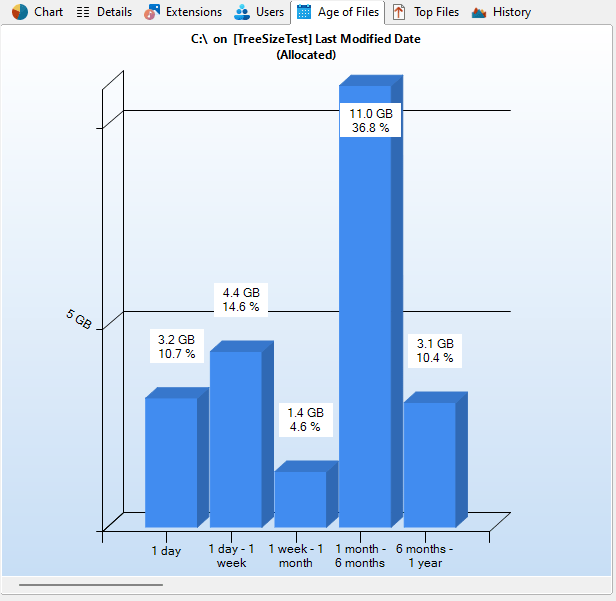
Context tab: Age of Files
The Ribbon tab for the "Age of Files" view offers export features equal to the Charts tab and enables you to customize the intervals. The boundaries of the intervals are always rounded to full days, i.e. to 00:00 a.m.

The following commands are available on the "Age of Files" tab:
Export Chart |
Save the current chart as graphic file. |
Export the current chart and send it via email. You can configure your email settings in options dialog. |
|
Copy Chart to Clipboard |
Copy the current chart to the clipboard, to paste it in other applications. |
Print right pane |
Print the current chart. |
Customize file age intervals |
Customize file age intervals (requires a scan refresh). |
Add Age of Files to Details View |
Adds a new column to the Details list, which shows how many files of the selected file age exist within the current directory. |
Show chart in 3D |
View chart in 3D or 2D. |
Color gradient as background |
Toggle the gradient in the background of the chart. |
Colorize bars |
Uses different colors for each of the displayed intervals. |
Show grid |
Show or hide grid lines for this chart. |
Zoom in |
Zoom in on the chart |
Zoom out |
Zoom out on the chart |
Zoom 100% |
Reset zoom to 100% |