


Let Us Inspire You With ShellBrowser Delphi Sample Applications
Do you want to see ShellBrowser Delphi Components in action? We provide some sample applications for you. Just download them for free and jump right into it! Let us Inspire you!
Selected Examples of Usage
Getting Started: Connecting Components
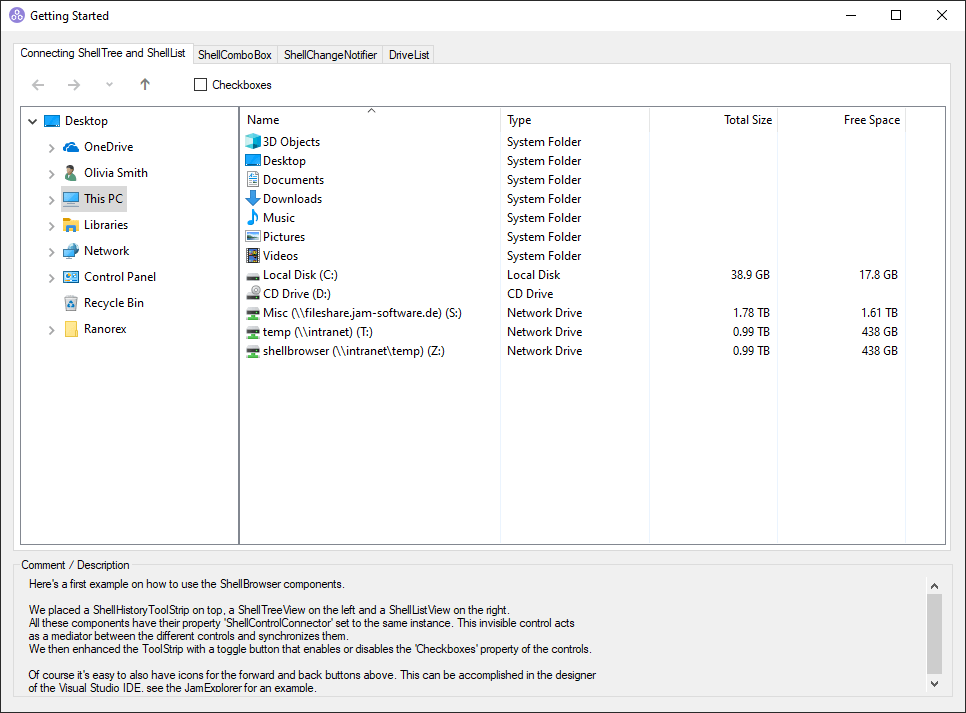
Here's a first example on how to use the ShellBrowser components. We placed a JamShellTree on the left and a JamShellList on the right side. Both components' property 'Shelllink' is set to the same instance of a JamShellLink, a synchronizing component. The form was enhanced with a check for box enabling or disabling the 'Checkboxes' property of the components as well as forward/backward buttons.
Getting Started: JamShellCombo
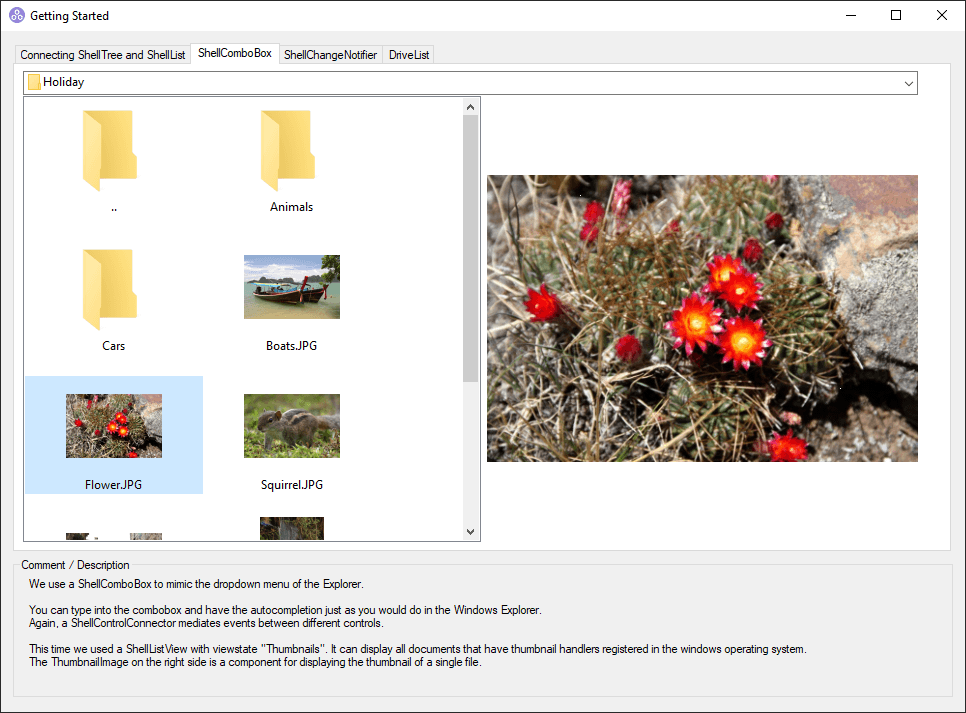
A JamShellCombo mimics the dropdown menu of the Windows Explorer. Users can type into the combobox and use the autocomplete feature. A JamShellLink mediates events between different components. This time we placed a JamThumbnailImage component on the right side to display all documents known to the Windows operating system as a preview. The 'SpecialFolder' property of the JamShellList has been set to 'MyPictures', one of the available default locations.
Getting Started: JamShellChangeNotifier
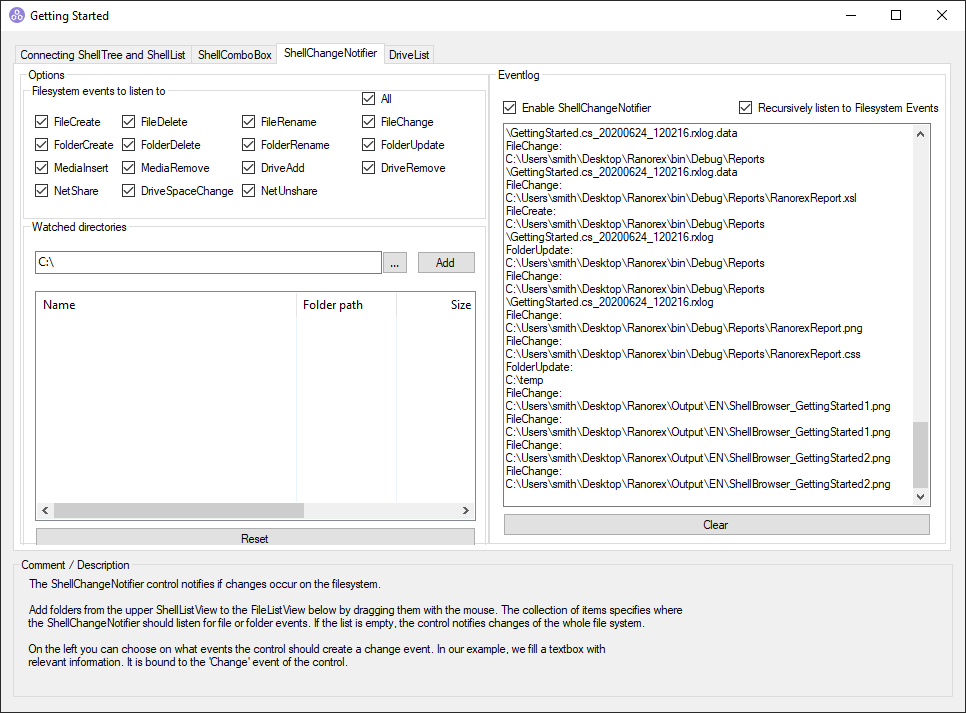
The JamShellChangeNotifier component notifies if changes occur on the filesystem. Add folders from the JamShellList to the JamFileList by dragging them with the mouse. The collection of items specifies where the JamShellChangeNotifier should listen for file or folder events. If the list is empty, the component notifies changes of the whole file system. On the left you can choose on what events the component should create a change event. In our example a textbox contains relevant information. It is bound to the 'Change' event of the component.
Getting Started: JamDriveList
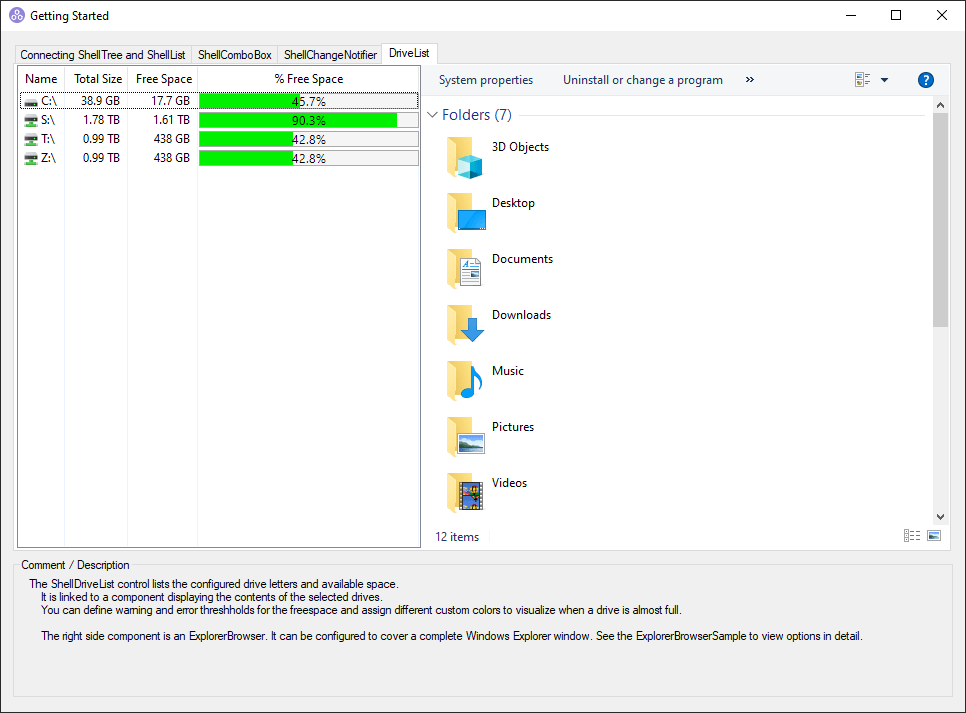
The JamDriveList component lists the configured drive letters and the disk space available on then.
ExplorerBrowser
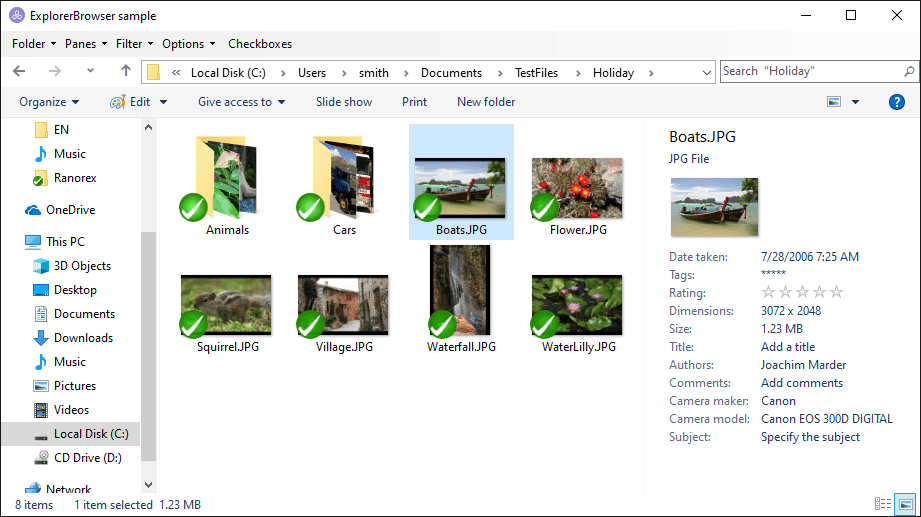
The ExplorerBrowser sample project shows you how to use the TJamExplorerBrowser component. The TJamExplorerBrowser control emulates an entire Windows Explorer. See how easily you can configure columns and display panes, apply filters, or set group and sorting options.
JAMExplorer
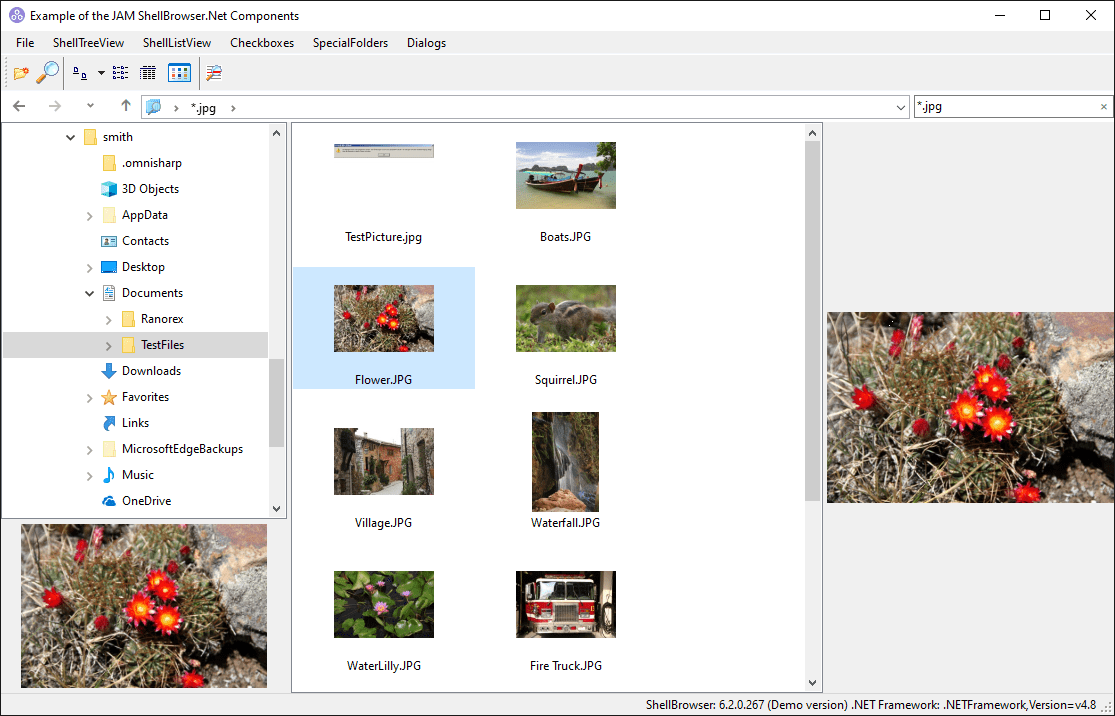
JAMExplorer is a project showing you how to build an Explorer-like application using the visual shell controls of the ShellBrowser component suite. On the left pane, you see the Windows TreeView, on the right pane the contents of the current folder are displayed. The toolbar contains some of the usual Explorer buttons like delete, properties, small/large icons. When a user right-clicks on an item, the context menu is displayed. All items can be renamed, Drag&Drop operations are supported. The only extra code written for this sample project were the handlers for the SpeedButtons in the toolbar of the window (usually one line for each button).
JAMSearch
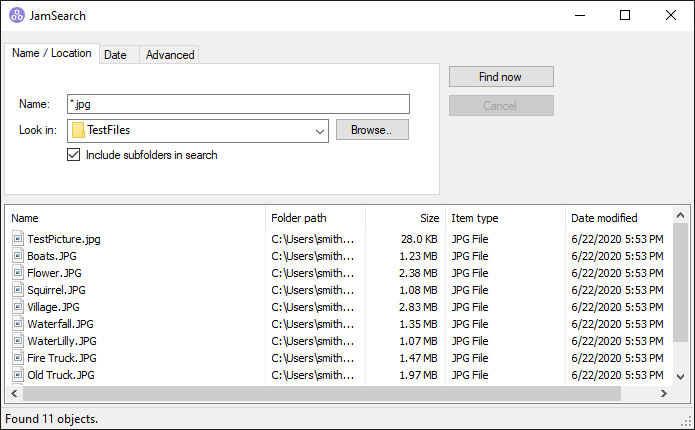
JAMSearch is a project simulating the Windows file search. The user can search for file types as well as certain file dates or file sizes and decide whether subfolders should be included in the search or not. Clicking "Browse" to select the searched folder or drive opens an additional selection window.
Easy
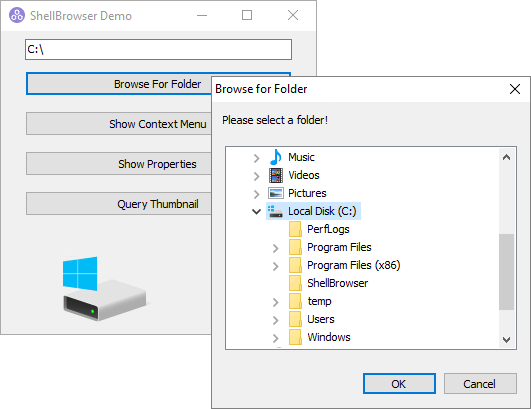
Easy is an introductory project, which illustrates some frequently needed functions using the TShellBrowser class, e.g. how to display the context menu or the properties pages for a single object, or how to query the thumbnail for an element using the invisible component TShellBrowser.
Additionally it illustrates how to call the BrowseForFolder dialog of Windows 9x/NT using the TShellBrowser component.
JAMDragDrop
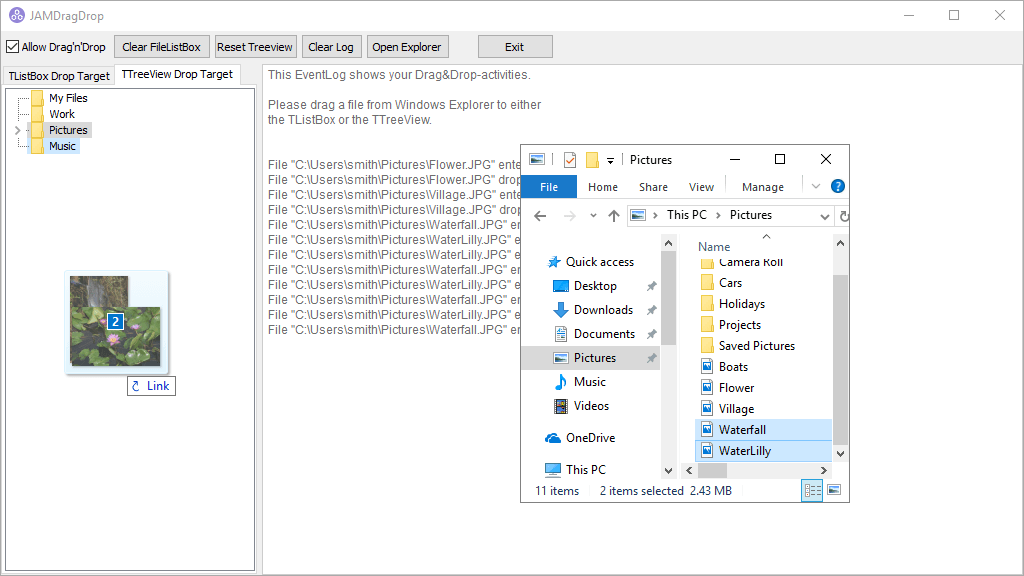
JAMDragDrop is a project that shows the handling of the TJamDropFiles and TJamDragFiles components and the possibilities the user has. It logs drag operations received or started by the connected controls.